The Login Gate That Fails More Beginners Than Bad Networking

Picture this: you have just shelled out four hundred dollars on a Quest or half that on a SteamVR rig, your friends are already in-world waiting for you, and the moment you press play you hit a two-panel auth dialog that refuses to accept your phone code. Most newbies quit within forty-five seconds. The rest learn that VRChat is less a game and more a social layer draped over every creator-built world on Earth, which is why the live player count sits near 50,000 concurrent steam users even as the Twitch viewership for top channels looks modest compared to pure-gaming titles.
Preparation Checklist Before You Click Install
- Platform decision: PC VR via Steam ($99 free-to-play) or standalone Quest via the Meta Store; they share worlds but trade off performance and compatibility.
- Facebook/Meta account if using Quest — VRChat requires OAuth sign-in now, not the old password-only wall.
- A quiet physical space at least 2 × 2 meters clears the boundary-override trap that makes beginners wander into coffee tables during their first social hangout.
- A secondary device ready for 2FA codes — the login flow introduced in Release 2026.4.1 restructures how accounts authenticate, and losing access to your authenticator mid-setup will cost you an hour of support tickets.
Step One: Survive the New Login Flow Without Rebooting Twice

The October 2026 patch explicitly calls itself not network-compatible, which means your launcher might demand a restart before entering any public instance. Pass the gate by completing these sub-steps in order and verifying each one before moving on.
- Install the latest client from the official store page; an outdated build hits the safety-center firewall and gets rejected on join.
- Authenticate through the prompted browser window rather than typing credentials inside the headset — the internal keyboard breaks face-tracking permission checks.
- Enable two-factor authentication when asked; skip it and the system marks your account as legacy-login, locking you out of social features until you retrofit.
- Verify the login screen displays your username next to the Safety Center banner — that tells you the patched flow accepted your session.
Step Two: Claim an Avatar That Does Not Break the Physics Engine
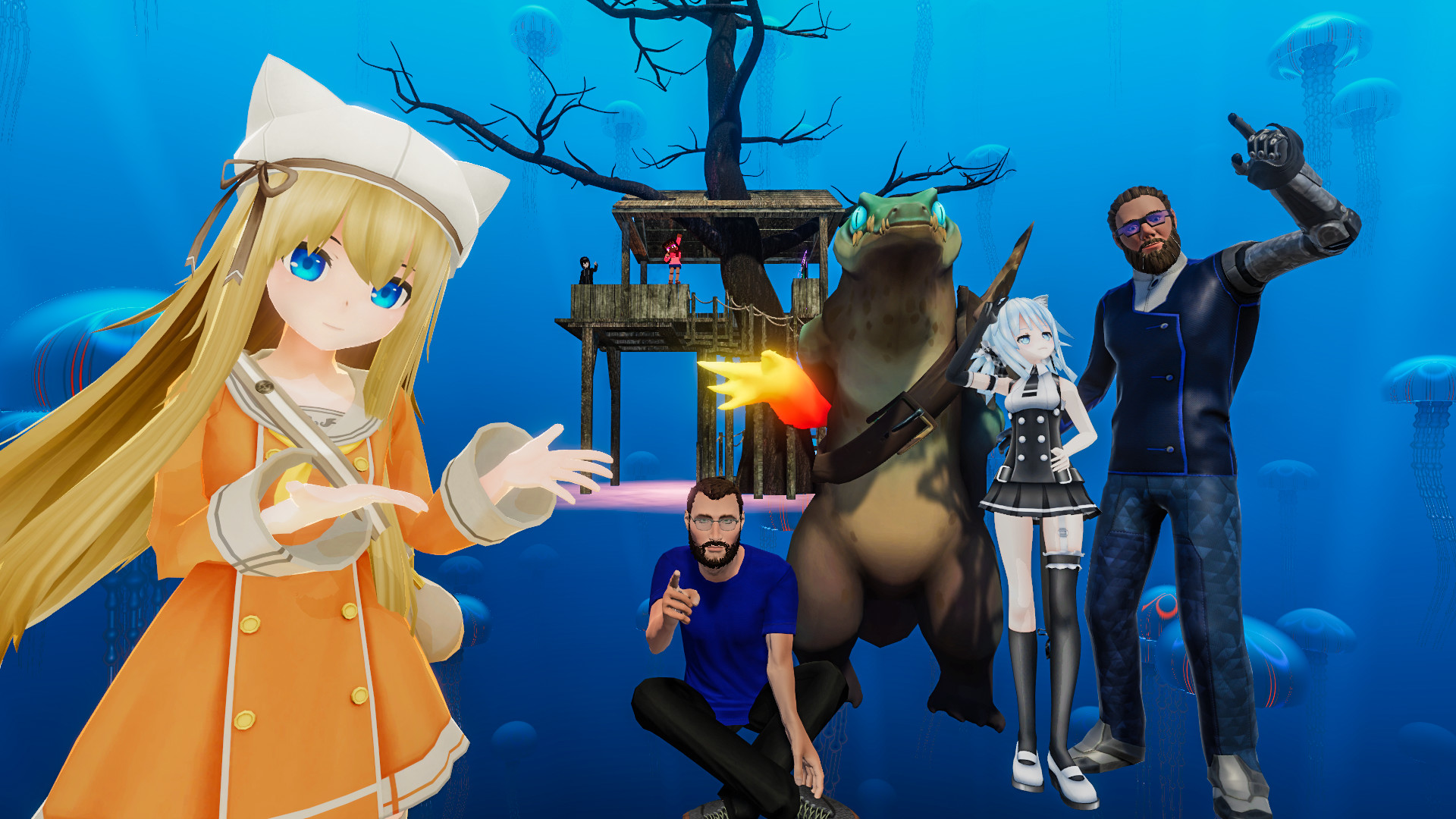
VRChat ships with three starter avatars, none of which are designed for expressive communication. The community workaround is straightforward, but the wrong shortcut creates a broken rig that screams through walls or loses eye contact entirely.
- Open the main menu and navigate to the Avatars tab; download either the free “Taco” pack or the built-in EmotePicker demo once to prove your hardware runs humanoid meshes.
- Search the marketplace for SDK 3.x-compatible uploads only — older SDK 2 rigs trigger a runtime incompatibility that freezes social animations.
- Pick an avatar with visible eye rigs before attending any group event; text-chat bridges vanish in high-latency rooms and your facial expressions become the primary trust signal.
- Test the Improved Face Tracking toggle from the same 2026.4.1 update on a empty world first — mismatched IPD (inter-pupillary distance) settings cause controller drift that looks like jittery movement to observers.
Common Mistake That Costs Hours of Headache
Downloading five custom avatars without adjusting the Quality Settings slider below Medium. One heavy mesh contains twenty thousand triangles and twelve animation states; stack three of those in a small party world and framerates drop below the comfort threshold for VR motion sickness, which is why most newcomers assume the headset is broken instead of their load-out.
Step Three: Enter Your First Public World Without Triggering the Ban Hammer
VRChat’s Social Guidelines are enforced automatically, and new accounts receive softer visibility penalties before hard bans kick in. The recent controversy over AI-generated content — roughly 95 percent of surveyed players wanted strict labeling while developers opted against mandatory tags — shows the moderation philosophy skews toward letting creators self-police rather than policing labels.
- Start in the Official VRChat Worlds category labeled “Beginner Friendly” rather than searching random names; algorithmic ranking hides private instances that lack reporting tools.
- Keep voice chat muted for the first thirty minutes while you observe local norms — certain worlds treat gestural consent signals differently across regions.
- Check the Safety Center panel after joining; it logs any automated warnings your actions triggered so you can correct behavior before escalating reports appear on your record.
- Leave immediately if you encounter unmoderated role-play spaces marked without age-restriction tags; those fall outside the baseline community agreement and pull new accounts into policy gray zones.
Where the Community Is Actually Heading
Events like the BLAST Rainbow Six Siege Osaka Major watch party in mid-November demonstrate how VRChat has become the default gathering layer for esport viewers who do not own the underlying title. Meanwhile seasonal jams such as Spookality 2026 continue proving that creator-driven content cycles outperform developer patches for retention. The lesson for beginners is simple: prioritize worlds with active host moderation over follower counts, because a crowded lobby without governance becomes exactly the kind of environment that surfaces the friction new accounts experience most acutely.
What to Do Next
- Join one public instance during peak hours (Thursday through Saturday evenings UTC) and stay until you see three separate groups interacting simultaneously — that pattern confirms the world hosts are maintaining acceptable noise levels.
- Bookmark the VRChat section on IVWORK for current player-snapshot trends instead of guessing when communities migrate between worlds.
- Explore additional gameplay primers in the IVWORK article library to understand how metric tracking differs between social VR platforms and traditional competitive titles.
Quick FAQ
Is VRChat free? Yes — the core social platform carries no subscription fee; optional purchases cover cosmetic avatars and world access passes created by individual developers.
Do I need a high-end PC? No. Standalone Quest headsets run the platform natively, though PCVR delivers smoother face tracking and higher-fidelity avatars.
Can I use motion controls without hand tracking? Absolutely. Controllers map to standard gesture sets, and any avatar compatible with SDK 3 supports both input methods.
Data: IVWORK snapshot, November 15, 2026, 11:59 UTC; figures are a single-sample snapshot. See IVWORK snapshot methodology for sampling details.
IVWORK data: single-sample snapshot 2026-11-15 11:59 UTC; figures are point-in-time and not a permanent audience share.