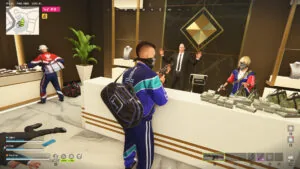

Start With the IVWORK Game Category

The simplest way to narrow your search is to open the gaming category and select THE FINALS. From there, browse the channels currently attached to that game rather than judging the entire platform by a general gaming feed. In the supplied IVWORK snapshot, THE FINALS had 6 channels and 280 viewers at 08:59:20 UTC on October 27, 2026. This is one point-in-time sample, not a permanent measure of the game’s audience, and live status and viewer totals can change quickly.
As a recent-content check, the current game context was captured at 09:02:03 UTC on the same date and linked to Twitch and Kick streams. Check the channel page again before clicking through, especially if you are reading this well after the snapshot.
Use Search, Tags, and Stream Titles to Refine Results

When browsing IVWORK, use available search and tag controls to look for specific angles rather than just the game name. Search terms such as “THE FINALS,” “Prime Time,” “cashout,” or a language name can help narrow the list if those filters are available on the page you are using. Stream titles can also provide clues: the sample included channels labeled with drops, a hangout session, a first stream, a birthday celebration, and cashout matches.
Those titles describe the displayed stream listing, not the streamer’s overall quality. Treat them as useful entry points, then confirm the category, language, and content on the destination page.
Choose a Channel by What You Want to Watch
- Gameplay style: Look for titles that indicate competitive play, a specific mode, casual matches, drops, or a community event. The October 27 sample included a cashout-focused channel and channels whose titles focused on drops or social interaction.
- Language: Titles in Spanish, such as “Unas partidas de cashout,” may suggest a Spanish-speaking stream, but you should verify the spoken language before settling in.
- Community: A hangout or birthday stream may be better for viewers who enjoy conversation and a relaxed atmosphere.
- Interaction: If you want to participate in chat, look for a channel whose audience appears active and whose title invites viewers to hang out. Viewer count alone cannot confirm whether chat will be welcoming.
Remember that the broader listing contained one stream categorized as Ready or Not despite mentioning THE FINALS in its title. Category labels and titles can differ, so confirm that the channel is actually showing the game you want.
Use Viewer Count Carefully
At 08:59:20 UTC on October 27, 2026, the IVWORK game snapshot showed 166 viewers for Twitch channel digcron and 106 for Twitch channel LG4E. These were top-stream samples from one listing, not representative ratings of every THE FINALS channel.
A larger audience may make chat busier, but it does not prove better commentary, better gameplay, or a friendlier community. A small channel can be a better fit if you prefer a specific language, play style, or level of activity. Give a new channel a short chance to establish its routine without expecting the title alone to guarantee a particular experience.
What the Live Sample Included
The October 27 listing showed five channels categorized as THE FINALS across Twitch and Kick: digcron, LG4E, imnotk4ka, hiko_sake, and bruckay. Another listed channel, hazorfps, was categorized as THE FINALS but had a title that also referenced Valorant and Ghost of Tsushima. These links were verified from the supplied snapshot at 09:02:03 UTC on October 27, 2026; availability may have changed after capture.
That mix illustrates why a little browsing helps. Some viewers may want a focused THE FINALS match, while others may prefer a channel whose format includes greetings, celebrations, or a broader gaming conversation.
Join the Community Respectfully
Once you find a channel, read the chat norms and follow the creator’s on-screen requests. In competitive-game communities, keep chat focused on the match, avoid personal attacks, and do not pressure streamers to repeat mistakes or answer every message. If you are joining a squad or group lobby, communicate clearly, follow team roles, and contribute constructively rather than distracting teammates.
For useful context, the official PRIME TIME announcement states that the update included remastered Arenas, a destruction upgrade, new Gadgets, and a new mode. Viewers may therefore want to look for streams discussing the update, but the existence or topic of a channel should always be verified on its live page.