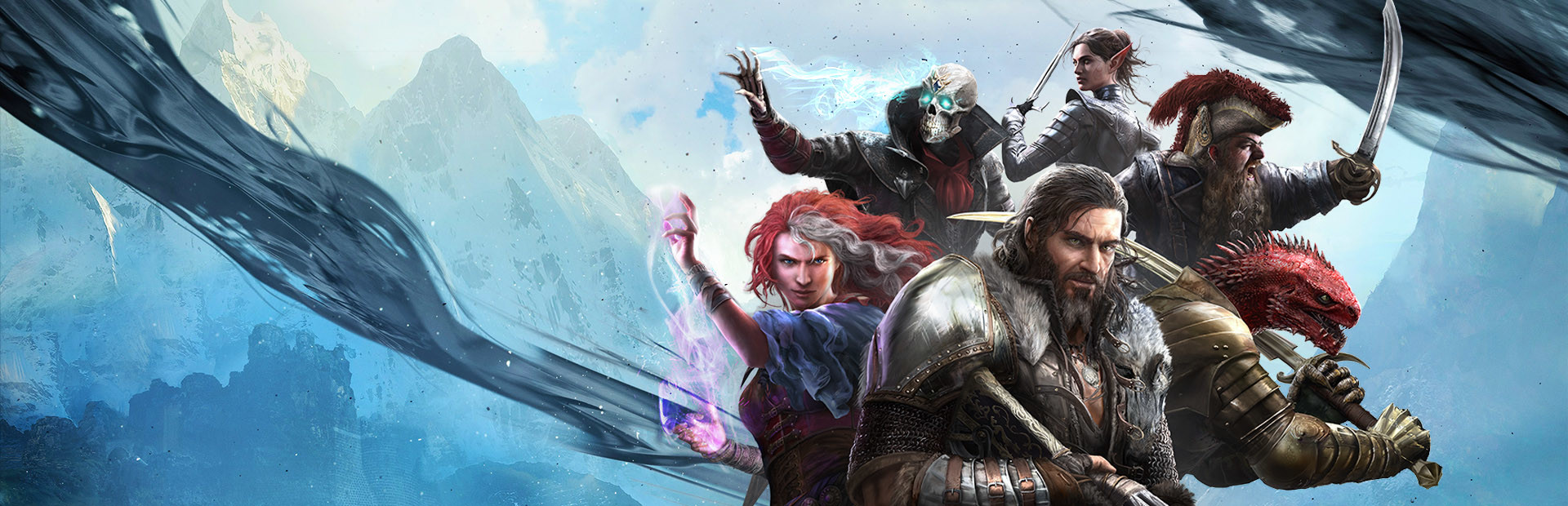
Imagine arriving during a tense battle: four adventurers cornered on a rain-soaked ledge, a spell about to erase the ground beneath them, and a chat leaning toward the next move. That is the kind of scene worth watching live. The trouble is finding it. If you are wondering how to find Divinity: Original Sin II streams on IVWORK, start by treating the platform like a map rather than a popularity contest. The title is a role-playing game built around party tactics, elemental interactions, and consequences shaped by the ground beneath a character’s feet, so the best stream often depends on what you want to learn or discuss—not merely how many people are watching.
IVWORK’s verified live context for the game listed one Twitch channel at the time of capture: elBokeron, titled “Otra poquita de Diviniri wiz Cloba,” with 821 viewers. The stream had started at 10:02:18 UTC on October 30, 2026, and its audience figure was updated at 16:29:13 UTC. This is a single captured example, not proof that it is the best channel or that the game always has only one live channel.
Start with the game category, not the biggest crowd

Open IVWORK’s live browsing area and find the game category or directory for Divinity: Original Sin II. Category browsing answers the first practical question: who is live with this exact title right now? It also keeps the comparison honest. The live context captured on October 30 reported zero channels and zero viewers for the selected game at 16:35 UTC, while the separate matched live context listed one Twitch channel with 821 viewers. That mismatch shows why one metric or one API response should not be treated as a complete census.
- Search the full title. Try “Divinity: Original Sin II,” then repeat with “Divinity Original Sin 2” and the shorter “DOS2” if the first result set is thin.
- Check the game label on each result. A stream can discuss the game without carrying its category, while another channel may be correctly categorized but showing unrelated content.
- Sort for live availability first. Once you have a game-specific list, use any viewer or recency controls that the page provides. Treat both as convenience filters, not quality scores.
Warning: a category can change as a broadcaster switches games. Confirm the title inside the stream before settling in.
Use search, tags, and channel clues to narrow the field

Search is most useful when you know the kind of session you want. Add terms such as “combat,” “co-op,” “solo,” “beginner,” “no spoilers,” or the name of a character or location to the game name. If IVWORK exposes tags or metadata on the browsing interface, use them as shortcuts for those same preferences.
The captured elBokeron listing is a useful example of why metadata matters. Its title is in Spanish, while the channel name and game title are enough to confirm the subject. For US viewers, that suggests checking language and subtitles explicitly rather than assuming a Latin-script title is automatically in English. The supplied data does not identify the streamer’s spoken language, subtitle availability, or narration quality, so verify those in the stream itself.
Several search-result leads can also help you understand the broader conversation around the game. Google News results include an attempted playthrough video, a character spotlight listing for Sebille, and coverage focused on terrain-based battles. Their titles indicate possible starting points, but they do not establish the quality or contents of the linked videos beyond what each title states.
Choose a channel by the session it offers
Once the list is short, evaluate the channel as a viewing experience. Look for clues in the title and channel page, then sample the live broadcast for a few minutes.
- Gameplay fit: Is the broadcaster playing the full game, discussing a build, running combat, or presenting an archived session? Pick the format that matches your question.
- Language comfort: Confirm whether the commentary is in English, another language, or supported by clear subtitles.
- Community tone: Check whether chat contributes useful theories, respects differing playstyles, and stays connected to the action.
- Interaction quality: Look for responses to chat questions, willingness to explain a decision, and moderation that keeps the conversation usable.
- Consistency: A channel with a dependable schedule may be more useful than a larger broadcast that rarely appears or plays a different game.
Do not mistake a large audience for compatibility. The captured channel’s 821 viewers make it a visible sample, but the snapshot provides no information about comment quality, moderation, language, or viewer sentiment. A smaller channel can be a better choice if it offers the kind of conversation you want.
Read IVWORK’s wider live data as context
IVWORK’s broad snapshot covered 887 channels and 702,503 viewers across the platform. Counter-Strike 2 led the listed games with 147 channels and 224,209 viewers, while Dota 2 followed with 79 channels and 107,295 viewers. That comparison makes the scale of the broader live directory clear, but it says nothing about the quality of a specific Divinity: Original Sin II broadcast.
The distinction matters because viewer count can rise for many reasons and still tells you little about teaching style, spoiler policy, chat culture, or how often a channel covers the game. Use the numbers to describe the live sample, then return to channel-level details for your decision.
My take: build a shortlist, then watch for five minutes
Interpretation: because the captured Divinity: Original Sin II live sample contained only one listed channel, discovery may depend more on checking the category repeatedly and using targeted searches than on scrolling a large ranked list. That is an interpretation of one snapshot, not a permanent forecast; live inventory can change quickly.
Here are three concrete moves for your next session:
- Save two or three likely channels rather than committing to the largest audience automatically.
- Sample each stream for five minutes and compare gameplay, language, chat behavior, and interaction.
- Come back at a different hour, recording which channels stay active and whether their presentation matches your preferences.
The most reliable answer to how to find Divinity: Original Sin II streams is not one magic channel. It is a repeatable routine: browse the exact category, search with a focused term, confirm the current game, then judge the stream’s fit. Let audience size open the door, but let the gameplay and community decide whether you stay.
Data note: IVWORK live snapshot captured October 30, 2026, at 16:29:24 UTC; selected-game live context captured at 16:35:00 UTC. Live status and audience figures can change after these timestamps.
Continue with Divinity: Original Sin II live streams and the IVWORK article library for more live-stream context.