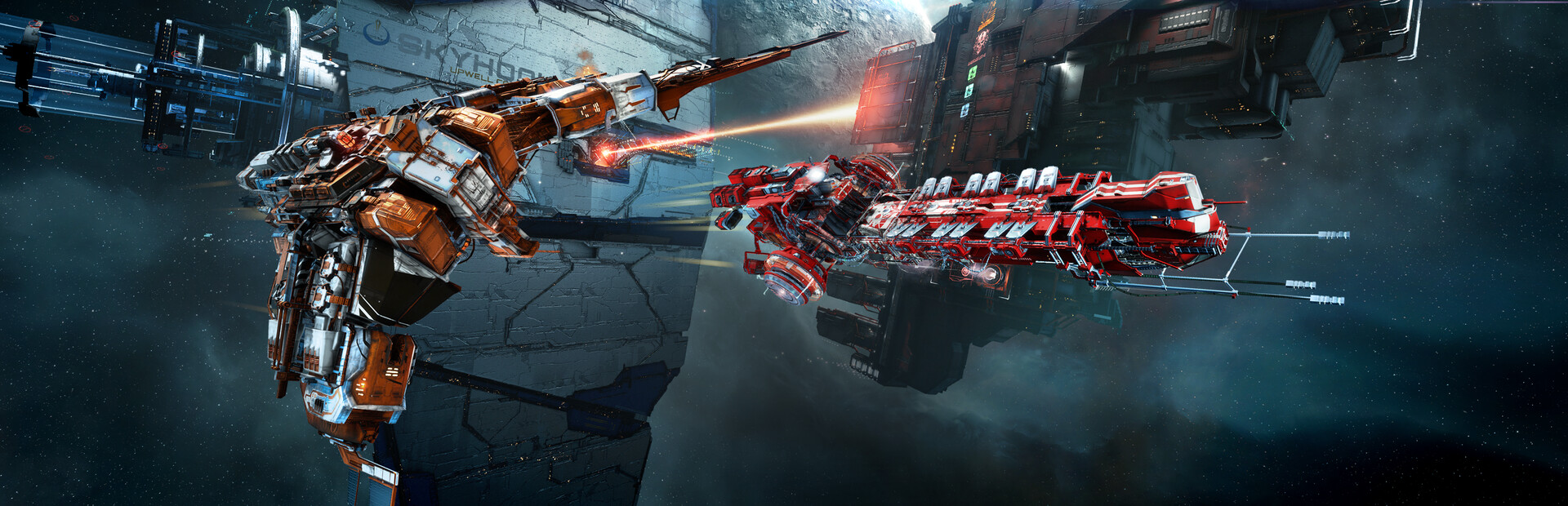
A single click can send a new capsuleer toward a star system, a mining laser, or a firefight they do not yet understand. That contrast is the first lesson in this EVE Online beginner guide: New Eden can feel calm and chaotic within minutes. The trick is not to rush. It is to build a routine, learn what each system does, and leave enough room to make the inevitable mistakes.
What you are entering

EVE Online is a persistent online space game centered on exploration, commerce, combat, and faction politics. Players are called capsuleers, and they live in New Eden, a collection of connected star systems. Much of the appeal comes from other people: markets can shift, fleets can form, and encounters can become stories that continue long after a session ends.
For newcomers, that can sound intimidating. Your first aim is simpler: complete the opening sequence, learn the controls, and take a few deliberate actions in space. Do not treat the first hour as a test of combat knowledge or wealth.
Minutes 0–10: finish the opening path

- Create your character and choose a starting point. Work through the introduction rather than skipping ahead. The early missions are designed to expose the basic loop: act, return, and receive the next instruction.
- Complete each required interaction. Pay attention to prompts involving the overview, which displays nearby objects and their distance. Learning to select an object here is more valuable than memorizing a route on day one.
- Use the tutorial as a reference. If a menu or control is unclear, review it rather than improvising. The supplied official announcement about Starter Space describes that region as a non-player-versus-player area where rookie capsuleers can practice and sharpen their skills among other beginners. That makes it a sensible place to build confidence before moving into busier space.
Warning: Do not jump straight to a battle because a system looks busy. For an EVE Online beginner guide to work, the useful early goal is a clean tutorial run, not an impressive combat clip.
Minutes 10–30: learn the cockpit loop
- Look before you move. Check the overview and surrounding area, especially when approaching stations or other structures.
- Make the camera work for you. Turn and look around before turning the ship. A clear view can reveal nearby hazards or friendly craft that the default angle leaves off-screen.
- Understand the HUD. The heads-up display contains information about your ship, available actions, and nearby targets. Spend a few minutes identifying what changes when you select objects.
- Try basic movement. Practice aligning, approaching, and keeping distance. These habits are more useful during a first session than racing toward distant objectives.
Pro tip: Keep the interface uncluttered until you understand what each element does. More on-screen data feels safer, but unreadable data can hide the one warning that matters.
Minutes 30–50: take one useful action
Now you should have enough control to choose a simple goal. Mining is one option: it teaches gathering resources, but the supplied evidence does not document a detailed beginner mining tutorial, so follow the current in-game guidance rather than treating this guide as a substitute for it. A short exploration trip can also help you practice travel and scanning.
- Pick one objective. Do not combine mining, exploration, trading, and combat just because every option is visible.
- Watch your ship’s condition. The interface can show important status information. Learn where to find it before you need it under pressure.
- Save your progress. If the game presents a choice to return to safety or complete the objective, choose the option that keeps a mistake inexpensive.
- Write down one unfamiliar term. Capsuleer, system, station, and overview are enough vocabulary for the opening hour. More terms will arrive with context.
Early mistake: Mistaking a busy interface for a complicated objective. The immediate job is still to complete one action cleanly. A second mission completed without confusion is more informative than several interrupted attempts.
Minutes 50–60: decide what comes next
Do not measure the first session by loot, kills, or credits alone. A better test is whether you can explain what you did and why. If the interface still feels confusing, repeat the tutorial activities. If you are comfortable with travel and survival, look for the next activity the game recommends.
The broader live world may still feel distant from that small starting routine. According to IVWORK’s November 5, 2026 snapshot, EVE Online had 1 listed Twitch channel and 123 viewers. The one sampled stream was titled “Night Radio | Вайб ночного радио,” had been running since 02:06:43 UTC, and was updated at 03:59:16 UTC. In the same snapshot, Grand Theft Auto V led the listed games with 357 channels and 200,038 viewers, compared with Minecraft’s 110 channels and 49,815 viewers. These are one-time samples, not measures of the entire EVE audience.
For comparison, an earlier IVWORK article reported a different two-channel snapshot in which one Twitch channel drew 283 viewers and its Kick counterpart drew 2. These figures arrived in different samples, so they should not be treated as a continuous trend. The useful takeaway is narrower: channel activity and audience size can change sharply from one observation to another.
Read the current events without rushing into them
New EVE Online players may encounter references to campaigns, seasonal events, and factional warfare before they know the basics. Official announcements say the Fractured Skies expansion launches on November 10, 2026, introducing new Factional Warfare content and a military campaign involving the four empires. Another official update says EVE Vanguard will run continuously as a paid Alpha connected to EVE Online.
Those announcements offer context for what veteran players are discussing, not required first-session tasks. Separate the beginner’s preparation path from large-scale faction events. You can learn what they are and return later when the basic vocabulary makes them easier to understand.
My take: protect the learning curve
Interpretation: The best beginner habit is to reduce the number of simultaneous goals. EVE’s interface can expose several systems at once, but treating every icon as urgent creates noise. My advice is to finish the tutorial, spend one session learning movement and the overview, then complete one useful action in Starter Space.
For your next session, do three specific things:
- Review the overview again and select nearby objects without moving.
- Complete one short, recommended activity without opening unrelated systems.
- Compare the live sample with gameplay sources when deciding what to watch; gameplay, language, community, and interaction matter more than viewer count alone.
Keep learning in the IVWORK article library, then return to your own session goals. New Eden will still be complicated after one hour. The advantage comes from knowing the next safe action rather than trying to understand everything at once.
Data: IVWORK snapshot, November 5, 2026, 04:00 UTC; figures are a single-sample snapshot.